Apollo's Templates
HomeBusinessFax Cover SheetFacsimile — Word
Printable fax · Microsoft Word

Facsimile Cover Sheet — Word

Six editable Microsoft Word facsimile templates in distinct styles. Customize once, save a reusable copy, and print whenever you need to send a fax.

Pick a style

Six layouts.

Onyx

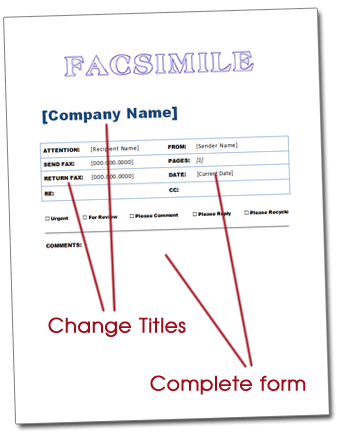
Bold black header band with a reverse-out title — newsroom-modern.

Sienna

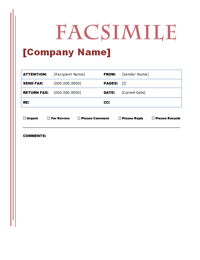
Warm terracotta accents and a centered classical serif title.

Sage

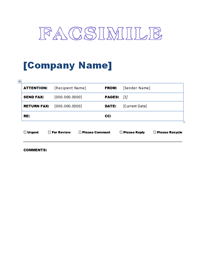
Muted-green vertical rule with a calm modern sans-serif title.

Indigo

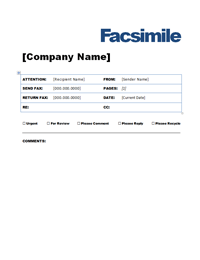
Deep navy formal letterhead — classical serif title with em-dash ornaments and a heavy rule.

Marigold

Warm amber band with a TX badge and right-aligned heavy sans title — modern agency.

Slate

Architectural title-block with a bordered frame and corner registration marks.
About this format

Why the Word + FACSIMILE version.

The most formal of the four — full layout control, formal terminology.

The Microsoft Word .dotx with FACSIMILE wording is the most formal of the four collections — common in law firms, government contracts, and financial-services offices where formal terminology and full layout control both matter. Open the .dotxin Word, customize once with your firm’s brand, save as a .docx, and reuse for every transmission.

Word gives you the layout control that legal and compliance contexts often need: rephrase the field labels, expand the Comments block, add a CONFIDENTIAL stamp or attorney-client privilege notice, drop in your logo, or duplicate the page for multi-page formal correspondence. The .dotx file format keeps the master clean so different team members can each save their own personalized .docx.

For HIPAA-relevant sends, paste your firm’s standard PHI confidentiality notice into the Comments block — these templates aren’t pre-stamped with one yet, but the field accepts a full paragraph. The same approach handles attorney-client privilege boilerplate.

Every Apollo’s Templates fax design ships in both wordings (FAX and FACSIMILE) — but if your office uses formal correspondence regularly, this is the version to keep. Onyx, Sienna, Sage, Indigo, Marigold, and Slate all open and edit the same way.

How to use

Open, edit, save, reuse.

  1. Open the .dotx in Word — this creates a new document from the template.
  2. Click into the empty cells in the field grid and type your details.
  3. Tick the relevant checkbox by replacing with or typing an X next to it.
  4. Save as a .docx to reuse, or print/export to PDF.
Need everyday wording?
Fax cover letter — Word
Same six designs with the everyday FAX title — same editable .dotx, no formality required.
Open Fax Word
Just need to fill and print?
Facsimile fillable PDF
Skip the editing step — open the PDF, click into each field, type, and print.
Open Facsimile PDF
Plain wording, fill and print
Fax cover sheet — fillable PDF
The everyday FAX title as an AcroForm PDF — six designs, fillable in any browser.
Open PDF version

Frequently asked questions

What makes the Word + FACSIMILE version the most formal option?
It pairs the formal FACSIMILE terminology with full Microsoft Word layout control — the combination law firms, government contract offices, and financial-services teams reach for when both the wording and the ability to adapt the page matter. The other three combinations trade one of those for speed.
Can I add a CONFIDENTIAL stamp or attorney-client privilege notice?
Yes — the .dotx is editable end to end. Add a CONFIDENTIAL banner, drop in a privilege or confidentiality block above the comments area, or insert a whole new row in the field grid. Save the result as your firm's branded .docx and reuse it for every formal transmission.
Does the .dotx keep my master template clean?
Yes. Opening a .dotx spawns a fresh untitled document, so the master is never overwritten. Each team member can open the same .dotx and save their own personalized .docx without stepping on anyone else's copy — useful when several attorneys or staff share one template set.
Will the FACSIMILE Word files open outside Microsoft Word?
Yes. Alongside the .dotx we publish a plain .docx, an OpenDocument .odt for LibreOffice Writer and Apache OpenOffice, and a Google Doc you can copy into your own Drive. All three are generated from the same master, so the formal FACSIMILE title and the field grid are the ones you see in the previews — non-Office machines are not shut out.
Updated through September 2026
Other formats

Also in OpenDocument and Google Docs.

The formal wording, without needing Microsoft Word.

Not on Microsoft Office? Every facsimile cover sheet here is also published as an OpenDocument (.odt) file for LibreOffice Writer and Apache OpenOffice, as a plain .docx, and as a Google Doc you can copy straight into your own Drive. Same design, no signup, nothing to install.